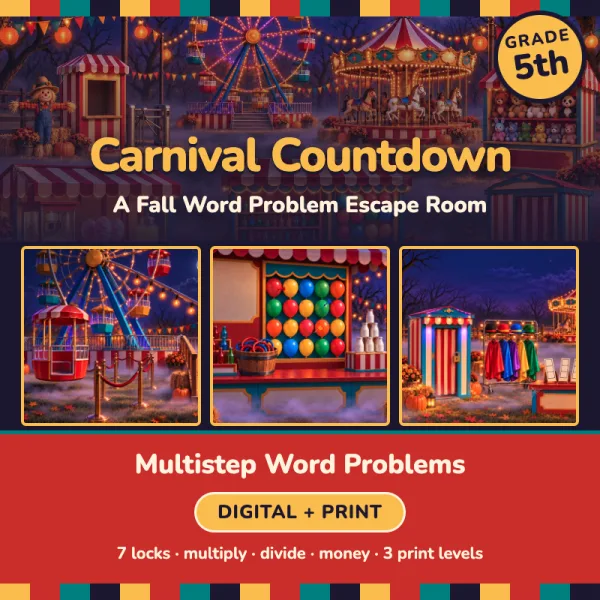
Carnival Countdown
Word Problem Escape Room
Your class is at the Fall Carnival on the school field! Scarecrow Sam runs the carnival, and he keeps the grand prize ribbons in the photo booth by the exit. Tonight the photo booth is shut with seven locks. You are the carnival helpers. Solve the word problems at each stop on the midway to open the locks. Open the photo booth before the carnival closes for the night!
Bought it on TPT? Type your access code here.
What students practice
- 5.NBT.B.5Fluently multiply multi-digit whole numbers
- 5.NBT.B.6Division with two-digit divisors
- 5.NBT.B.7Add, subtract, multiply, and divide decimals to hundredths
- 5.OA.A.1Parentheses and order of operations in expressions
- 5.OA.A.2Write and read simple numerical expressions
Everything for the lesson
- 7 locks in a story room students play in the browser
- Printable version at three levels, with answer keys
- Level 1 support path for students who need an easier start
- Challenge Zone bonus round for early finishers
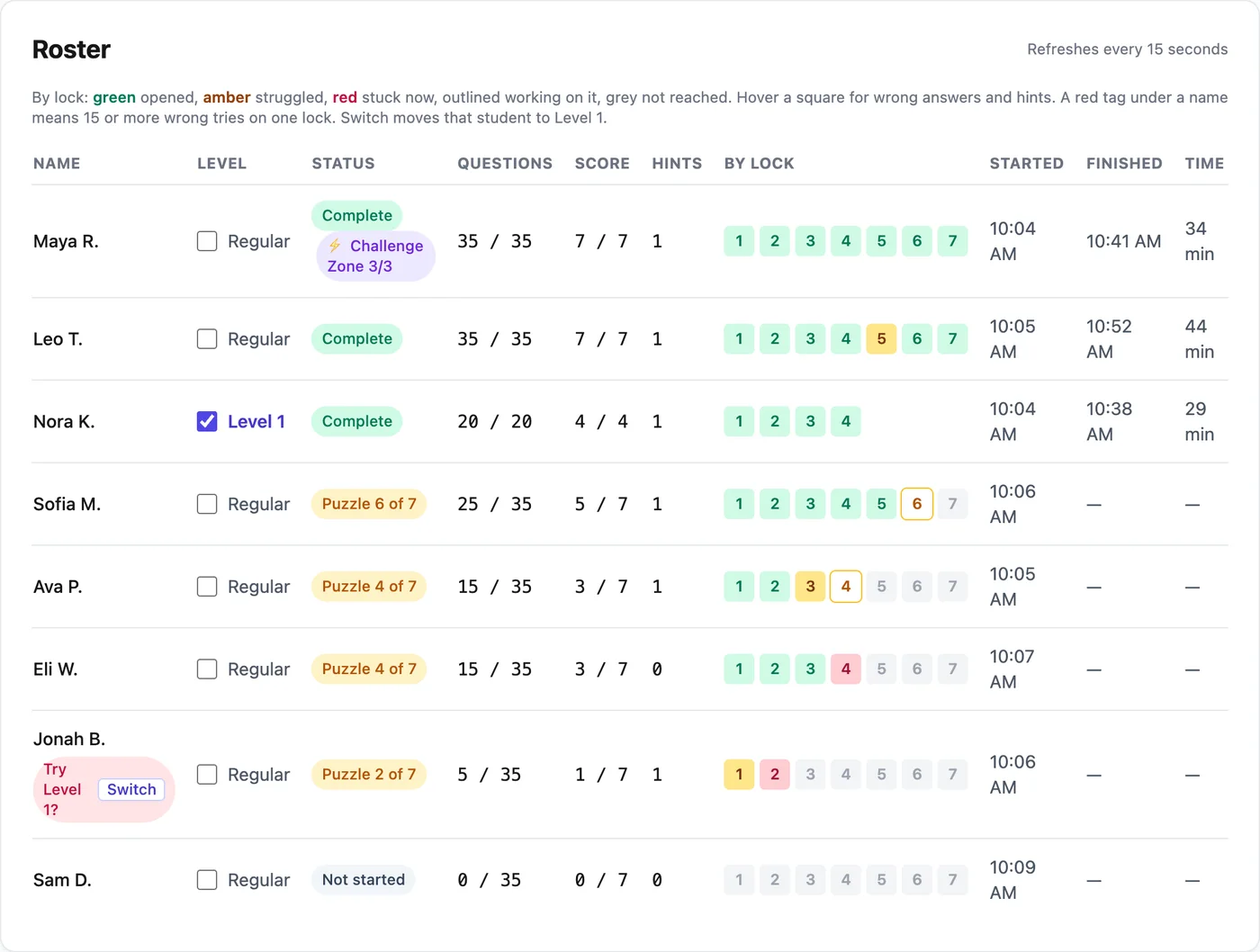
- Teacher dashboard with live progress, tries and hints
- Up to 150 students a school year on one teacher account
🎡 The Locked Photo Booth
- 1The striped ticket booth at the carnival gate
- 2The loading ramp at the bottom of the Ferris wheel
- 3The popcorn and cotton candy stand on the midway
- 4The ring toss game on the midway
- 5The painted carousel with the brass poles
- 6The prize booth with the stuffed animals on the shelves
- 7The photo booth by the carnival exit
Your class page for this room
- A live roster with the lock each student is on, their wrong tries and hints
- A skills report that names who struggled on each lock's skill
- Check Level 1 next to a name to give that student a shorter path
- A Challenge Zone bonus round for students who finish early
- Three hints per lock: the rule, a worked example, then a clue
- Finish times that count only minutes spent working
Three steps from code to class.
 1
1Get the room
Bought it on TPT? Type the access code from your PDF on the redeem page. Or buy it here with a card. Either way it lands in your teacher library.
 2
2Students play
Make a class and share the class code. Students type their name and play in the browser, no student accounts. Print the paper version for any student who needs it.
 3
3Watch the dashboard
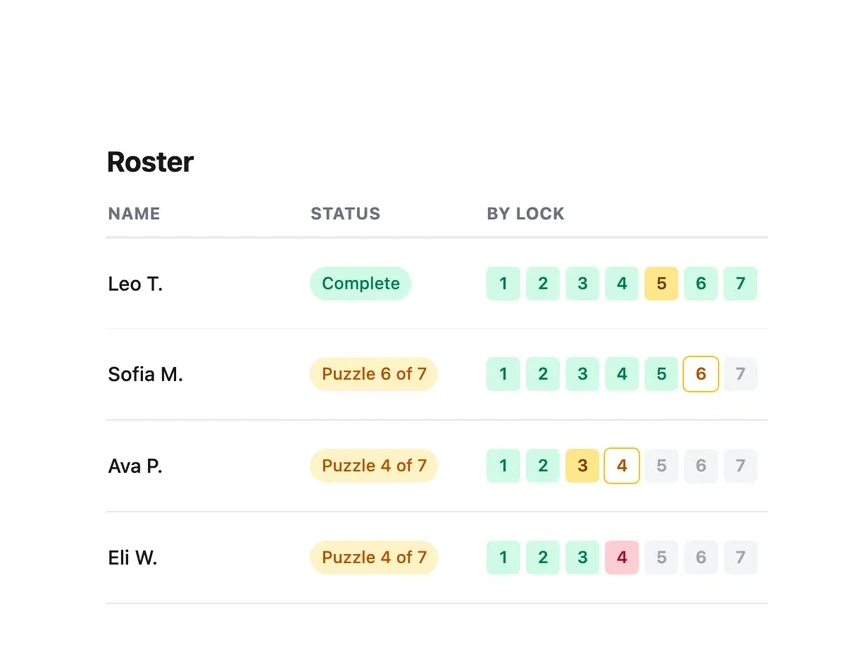
See who is on which lock, how many tries it took and how many hints they used, live. Answer keys and the printable packets are in your library.