4th GradeMath
Thanksgiving Kitchen Rescue
Fractions Math Escape Room
4.NF.A.14.NF.A.24.NF.B.3+2
$7.99 Try lock 1
See the room 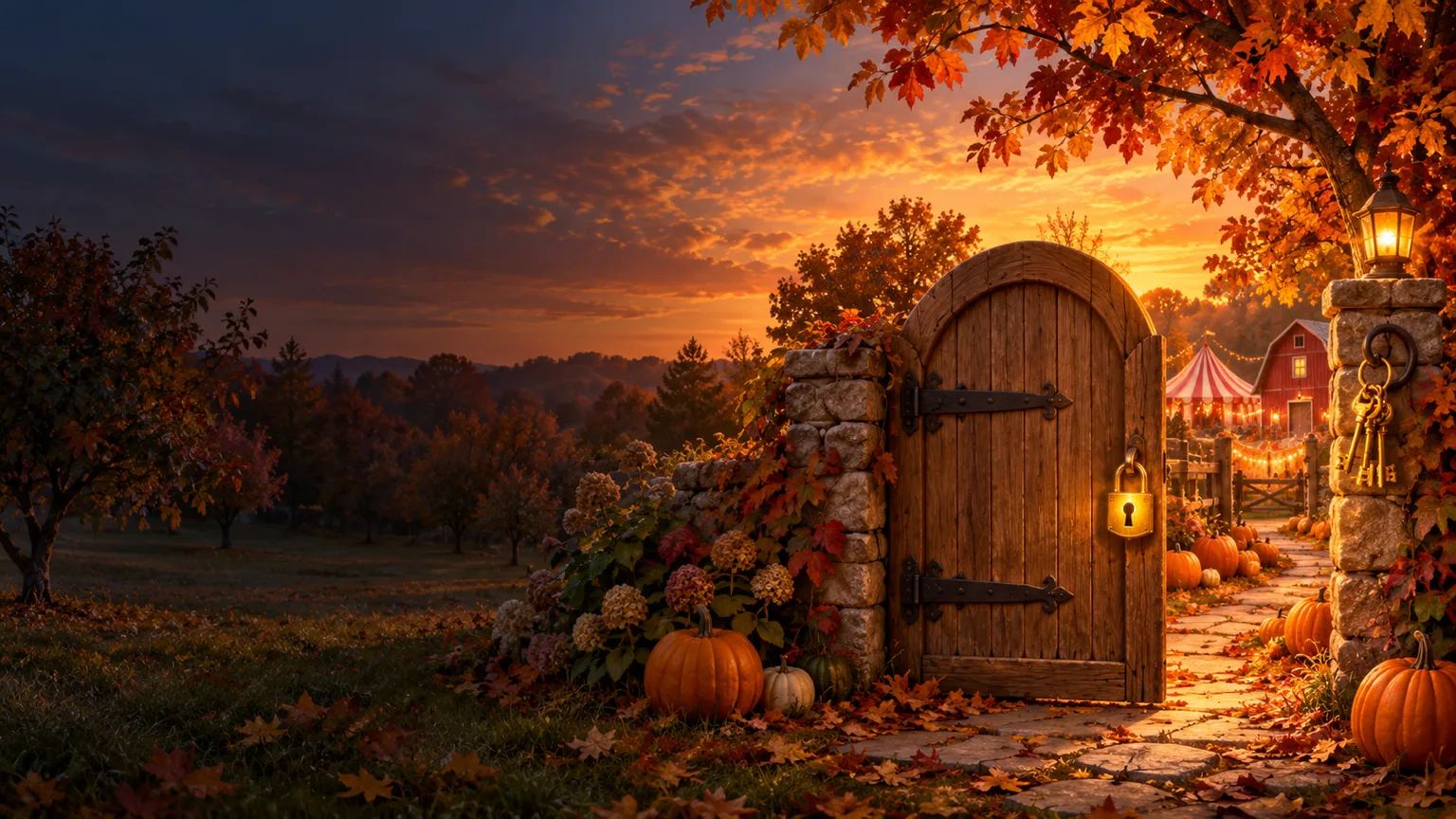
Each room is a story with five to seven locks. Students solve real, standards-based problems to open them, on any school Chromebook or on paper. You watch every answer come in from your dashboard.
Built on Common Core math standards
Runs on older school Chromebooks
Printable version and answer key
Level 1 support path in newer rooms
 1
1Bought it on TPT? Type the access code from your PDF on the redeem page. Or buy it here with a card. Either way it lands in your teacher library.
Redeem a TPT code 2
2Make a class and share the class code. Students type their name and play in the browser, no student accounts. Print the paper version for any student who needs it.
See the student join page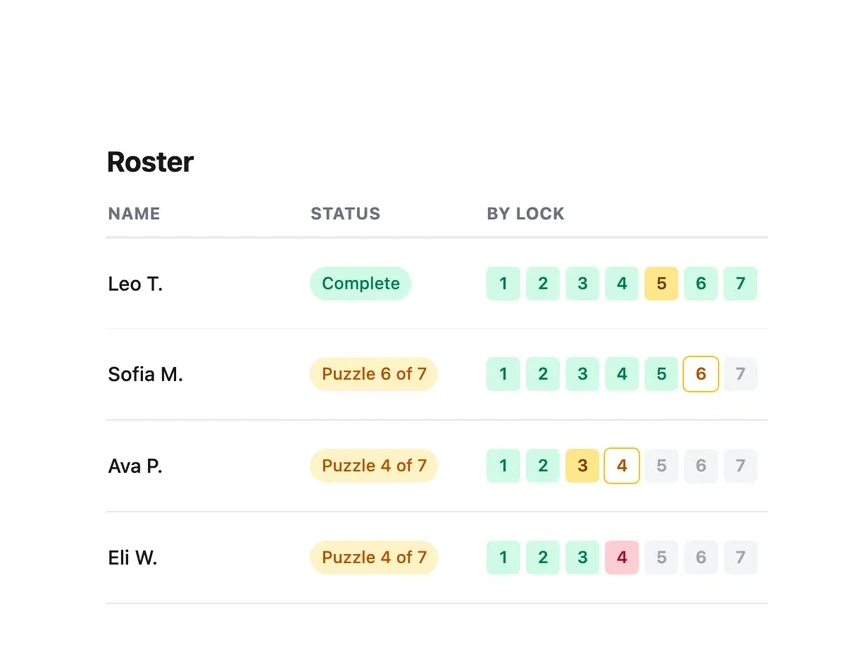 3
3See who is on which lock, how many tries it took and how many hints they used, live. Answer keys and the printable packets are in your library.
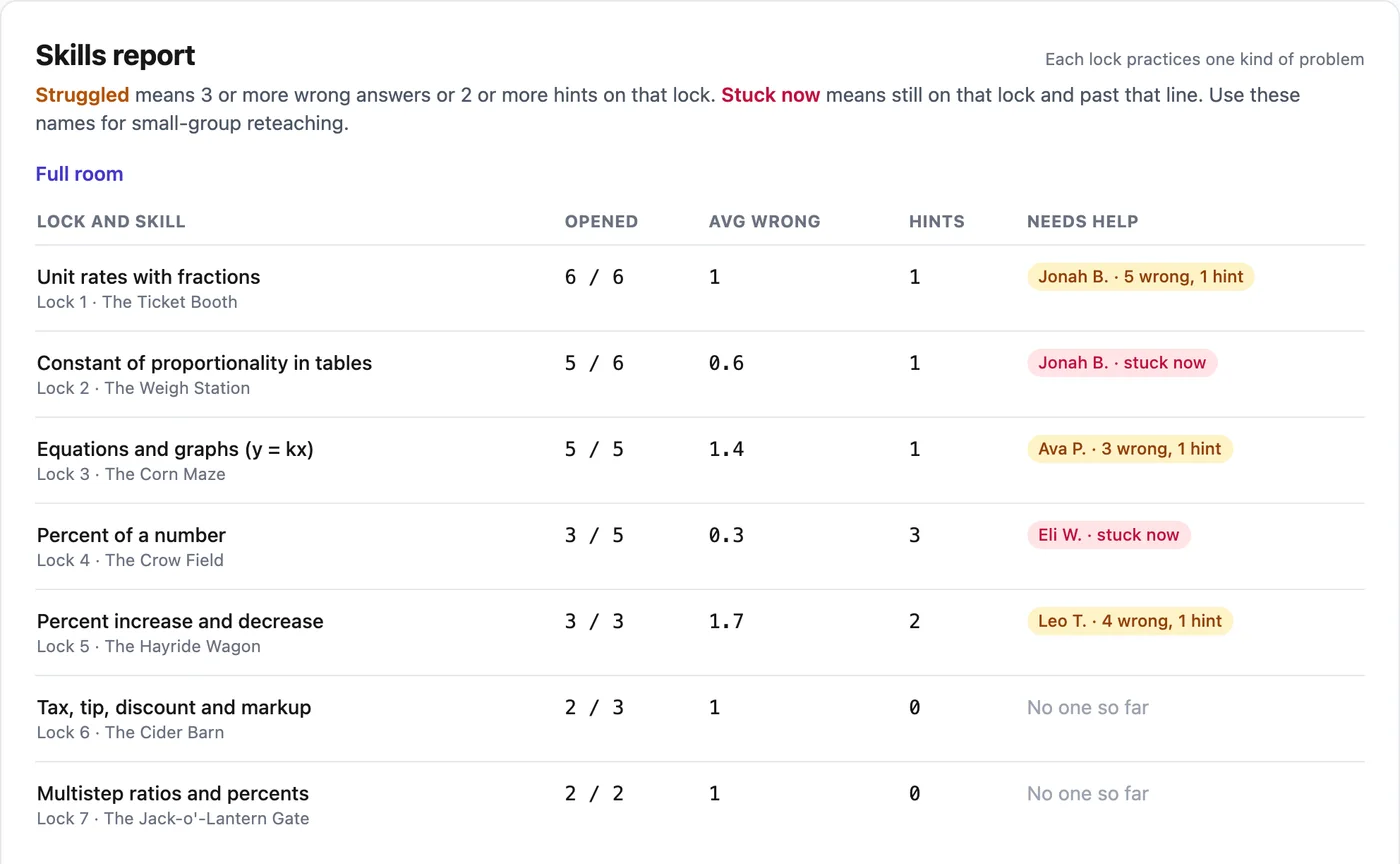
Open the teacher dashboardA digital escape room is often a locked page and an answer key. Here, each class gets its own page. These are screenshots of that page with a sample class. The student names are made up.
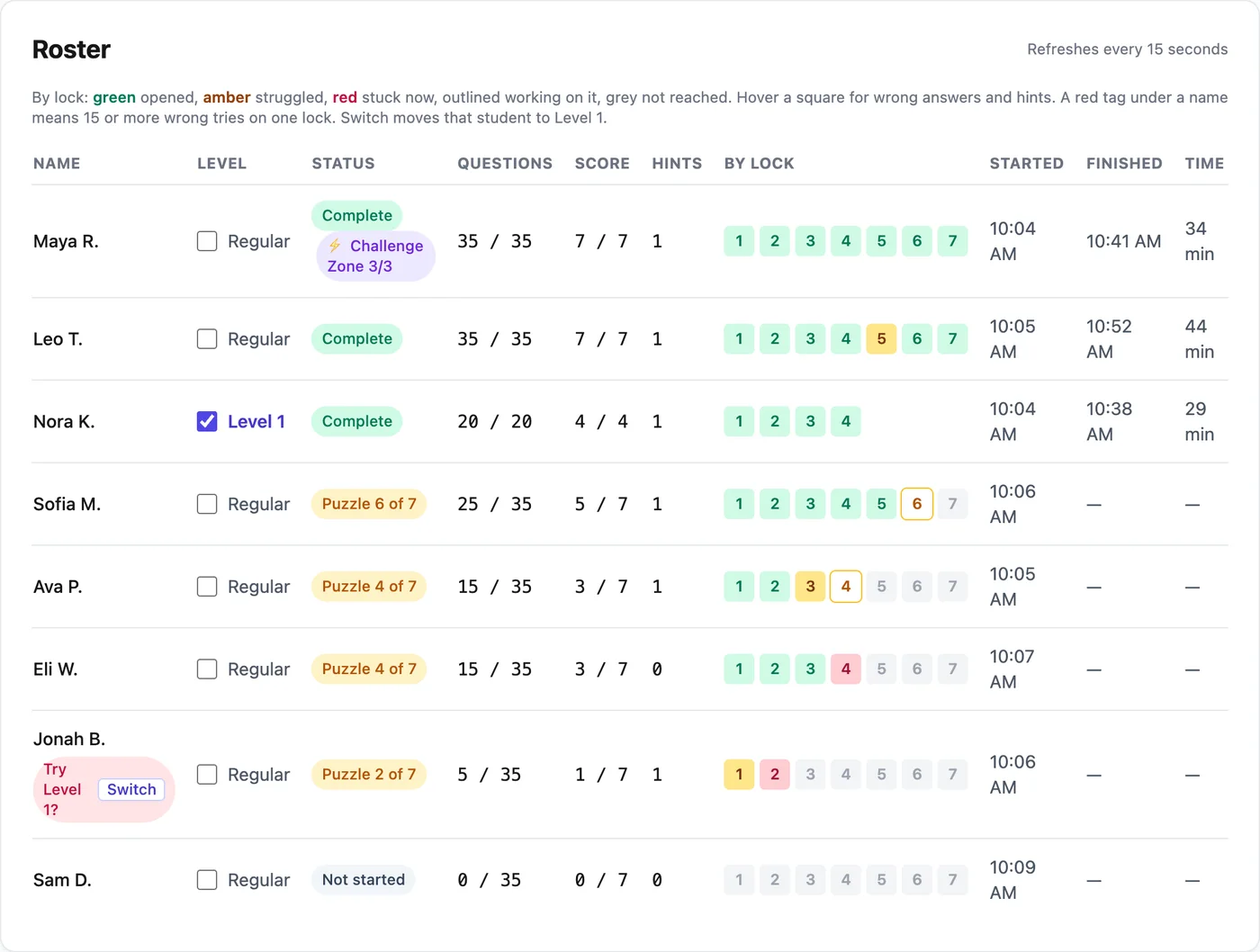
One row per student: the lock they are on, questions answered, hints used and a colored square for each lock. The page refreshes every 15 seconds.
Each lock practices one skill, like percent of a number. The report names who struggled on it (3 or more wrong answers or 2 or more hints) and who is stuck on it right now.
Check Level 1 next to a name and that student gets a shorter path with one-step questions, same story and certificate. Students never see the level name.
Students who finish early get a harder bonus round. Their roster row shows how many bonus problems they solved.
Every lock has three hints: the rule, a worked example with different numbers, then a clue to the secret word. A wrong answer gets a short note about the likely mistake, never the answer.
Room pages list the Common Core codes the room covers with a plain description of each, and the skills report uses the same skill names.
The Time column counts only minutes a student was working. The clock stops when the tab is hidden or after 2 minutes with no typing or clicking.
Fractions Math Escape Room
4.NF.A.14.NF.A.24.NF.B.3+2
Fall Harvest Math Escape Room
2.OA.A.12.OA.B.22.NBT.A.1+3
Ratios and Percents Escape Room
7.RP.A.17.RP.A.27.RP.A.3
Word Problem Escape Room
5.NBT.B.55.NBT.B.65.NBT.B.7+2
Word Problem Escape Room
4.OA.A.34.OA.A.24.NBT.B.4+2
Word Problem Escape Room
3.OA.D.83.NBT.A.13.NBT.A.2+1